Introduction
Have you ever wondered how websites get their unique addresses on the internet? Or perhaps you’re planning to start your own website but aren’t quite sure where to begin? At the heart of every website lies something called a domain name – the digital address that users type into their browsers to find you online.
In today’s digital landscape, having a strong online presence is crucial for businesses, personal brands, and organizations alike. Whether you’re launching an e-commerce store, a professional portfolio, or a blog, understanding domain names is the first step toward establishing your place on the internet.
This comprehensive guide will walk you through everything you need to know about domain names – from what they are and why they’re important to how to choose and register one that perfectly represents your online identity. By the end of this article, you’ll have the knowledge and confidence to secure the perfect domain name for your website.
What Is a Domain Name?
Definition and Basic Concepts
A domain name is essentially the address of your website on the internet. Just as a physical address helps people find your home or business in the real world, a domain name directs users to your website online. When someone wants to visit your website, they type your domain name into their web browser’s address bar, and it takes them directly to your site.
For example, in the domain name “zsolnet.com“:
- “zsolnet” is the unique identifier that you choose
- “.com” is the top-level domain (TLD)
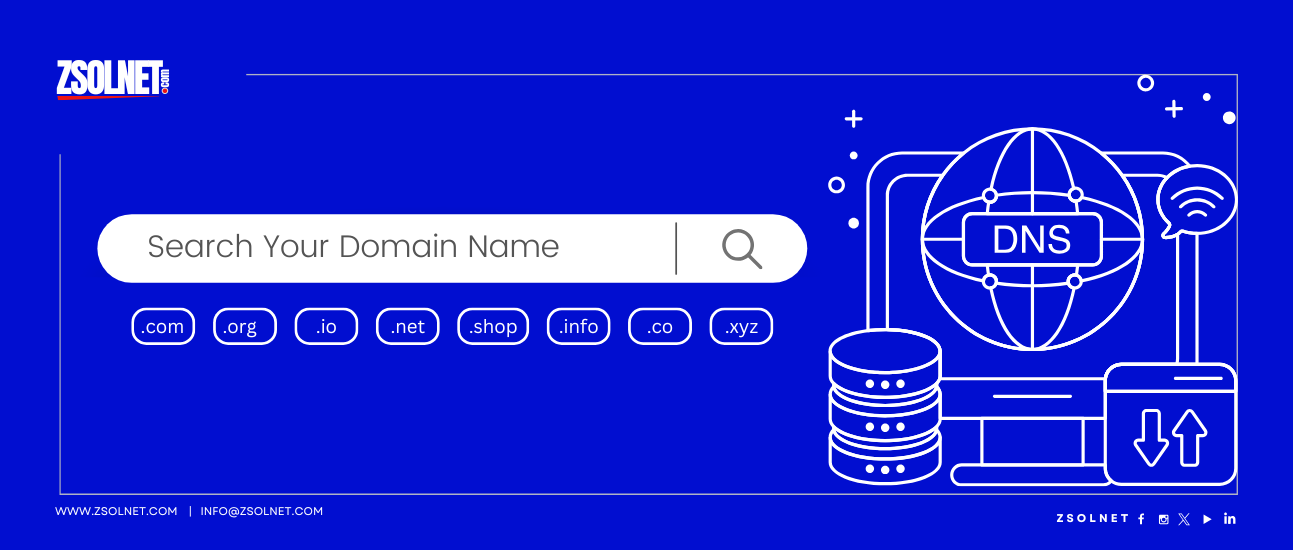
Domain names are part of the Domain Name System (DNS), which is often described as the “phone book of the internet.” The DNS translates human-friendly domain names into IP addresses – the numerical labels assigned to devices connected to the internet. In simpler terms, while humans remember names like “zsolnet.com,” computers communicate using numbers like “192.168.1.1.”
The Anatomy of a Domain Name
To fully understand domain names, let’s break down their structure:
- Top-Level Domain (TLD): The part that comes after the final dot, such as .com, .org, .net, or country-specific TLDs like .uk or .ae
- Second-Level Domain: The custom part you choose, like “zsolnet” in zsolnet.com
- Subdomain (optional): Additional sections that precede the second-level domain, such as “blog” in blog.zsolnet.com
- Protocol (not part of the domain but often used with it): “http://” or “https://” which appears before the domain name in the full web address
Here’s a visual breakdown:
https://    blog.    zsolnet    .com
(Protocol) (Subdomain) (Second-Level Domain) (TLD)
Understanding these components will help you make informed decisions when selecting and managing your domain name.
Why Is Having a Domain Name Important?
Building Credibility and Trust
In today’s digital world, having a professional domain name is essential for establishing credibility. Consider these scenarios:
Business Email:
- generic-business@gmail.com
- contact@yourbusinessname.com
Which email address appears more professional and trustworthy? The second option with a custom domain instantly communicates legitimacy and commitment to your brand.
A proper domain name shows visitors that you’ve invested in your online presence, which builds trust with potential customers or clients. It demonstrates that you’re serious about your business or project and aren’t likely to disappear overnight.
Enhancing Brand Identity and Recognition
Your domain name is often the first interaction people have with your brand online. A memorable, relevant domain name helps reinforce your brand identity and makes it easier for customers to find and remember you.
For example, if your business is called “Desert Rose Bakery” in Dubai, a domain like desertrosebakerydubai.com clearly communicates who you are and what you do. This alignment between your business name and domain helps with brand consistency across all marketing channels.
Improving Search Engine Optimization (SEO)
Domain names play a significant role in how search engines like Google rank your website. While search algorithms consider hundreds of factors, having relevant keywords in your domain name can potentially help with SEO, especially for local businesses.
For instance, if you offer web hosting services in the UAE, a domain like uaewebhosting.com might perform better in local searches than a generic or unrelated name. However, it’s important to note that modern SEO values quality content and user experience more than keyword-stuffed domain names.
Control and Ownership
When you register a domain name, you essentially own that piece of internet real estate. This gives you control over your online presence and prevents others from using the same name. Domain ownership allows you:
- Complete control over your website’s content and design
- The ability to create custom email addresses (e.g., yourname@yourdomain.com)
- The flexibility to change web hosting providers without losing your web address
- Protection against competitors or others trying to use your brand name online
Types of Domain Names
Top-Level Domains (TLDs)
Top-level domains are the extensions that appear at the end of a domain name. There are several categories of TLDs:
Generic Top-Level Domains (gTLDs)
These are the most common TLDs and are not tied to any specific country:
- .com: Originally meant for commercial entities, now widely used by all types of websites
- .net: Initially intended for network-related websites, now used more broadly
- .org: Traditionally used by non-profit organizations but available to anyone
- .info: Designed for informational websites
- .biz: Created specifically for businesses
- .io: Popular in tech startups and developer communities
New Generic Top-Level Domains
In recent years, hundreds of new gTLDs have been introduced, offering more specific options:
- .store: For e-commerce websites
- .blog: For blogging platforms
- .tech: For technology-related websites
- .photography: For photographers and portfolio sites
- .app: For mobile applications and software companies
Country Code Top-Level Domains (ccTLDs)
These TLDs represent specific countries or territories:
- .uk: United Kingdom
- .ae: United Arab Emirates
- .us: United States
- .ca: Canada
- .au: Australia
ccTLDs are excellent choices for businesses targeting specific geographical markets. For instance, if your business operates primarily in the UAE, using the .ae extension can help establish local credibility and potentially improve regional search rankings.
Second-Level Domains
In some countries, domains are structured with an additional level. For example, in the UK:
- .co.uk: Commercial organizations
- .org.uk: Non-profit organizations
- .me.uk: Personal websites
- .ac.uk: Academic institutions
Specialized Domains
Some domains are restricted to specific types of organizations:
- .edu: Educational institutions (primarily in the US)
- .gov: Government agencies
- .mil: Military organizations
International Domain Names (IDNs)
These domain names include non-Latin characters from languages such as Arabic, Chinese, or Cyrillic, allowing for domain names in local languages and scripts. For example, a UAE-based business might use an Arabic script domain name to better connect with Arabic-speaking audiences.
How to Choose the Perfect Domain Name
Consider Your Brand Identity
Your domain name should reflect your brand identity and be consistent with your business name when possible. If your business name is already taken as a domain, consider these alternatives:
- Add your location (e.g., yourbusinessdubai.com)
- Add your primary service (e.g., yourbusiness.com)
- Use a different TLD (e.g., yourbusinesst.net if yourbusiness.com is unavailable)
Keep It Short and Simple
Shorter domain names are:
- Easier to remember
- Less prone to typing errors
- More professional looking
- Better for sharing verbally
Aim for a domain name with 15 characters or fewer when possible. Avoid using numbers and hyphens as they can confuse users and make your domain harder to remember.
Make It Memorable and Pronounceable
A good domain name should be easy to say and spell. When people hear your domain name in conversation or on a podcast, they should be able to type it correctly without having to ask for spellings.
Test your potential domain name by saying it out loud and asking others if they can spell it correctly after hearing it. If they struggle, consider simplifying your choice.
Think About Keywords
Including relevant keywords in your domain name can help with SEO and clearly communicate what your website is about. However, balance is key – don’t sacrifice brand identity or memorability just to include keywords.
Good examples:
- dubaiwebhosting.ae (contains location and service)
- affordabledomains.com (communicates value proposition)
- ukbusinessservers.co.uk (contains location and target audience)
Consider Future Growth
Choose a domain name that allows for future expansion. A too-specific domain might limit your business as it grows:
- Too specific: budgetwebhostingindubai.com
- More flexible: gulfhosting.com
The second option allows for expansion into different services and locations without requiring a domain change later.
Check for Trademark Issues
Before finalizing your domain name, ensure it doesn’t infringe on existing trademarks. A legal dispute over your domain name could be costly and force you to rebrand after you’ve already established your online presence.
Use trademark databases and simple online searches to verify that your chosen name isn’t already protected by another business in your industry or region.
Practical Examples of Effective Domain Names
Successful Business Domain Names
Let’s examine some effective domain names and why they work:
- Amazon.com
- Short and memorable
- Easy to spell
- Evokes the image of something vast (like the Amazon river)
- Not limited to any specific product category, allowing for expansion
- Booking.com
- Descriptive of the service offered
- Contains a relevant keyword
- Clear and straightforward
- Easy to remember
- Emirates.com
- Reflects the company name perfectly
- Short and simple
- Geographically relevant
- Professional and trustworthy
Industry-Specific Examples
For web hosting and domain services (similar to zsolnet.com):
- HostGator.com
- Memorable and unique
- Suggests strength and protection
- Short and catchy
- Namecheap.com
- Clearly communicates the value proposition (affordable domains)
- Contains a relevant keyword
- Easy to remember and understand
- GoDaddy.com
- Short and catchy
- Memorable and distinctive
- Not descriptive but has become recognizable through branding
Steps for Registering a Domain Name
Research and Availability Check
Before getting excited about a domain name, verify its availability:
- Use domain search tools on registrar websites like zsolnet.com
- Check multiple spelling variations and common misspellings
- Look at different TLDs if your first choice is unavailable
- Consider purchasing similar domains to protect your brand
Choosing a Domain Registrar
A domain registrar is a company accredited by the Internet Corporation for Assigned Names and Numbers (ICANN) or a national authority to register domain names. When choosing a registrar, consider:
- Pricing: Both initial and renewal costs
- Additional services: Web hosting, email services, SSL certificates
- Customer support: Availability and quality of support
- User interface: Ease of managing your domains
- Security features: Two-factor authentication, domain locking
- Reputation: Reviews and longevity in the industry
As a web hosting and domain registration company, zsolnet.com offers competitive pricing and comprehensive support for clients in the UAE, UK, and worldwide, making it an excellent choice for your domain registration needs.
Registration Process
The domain registration process typically involves these steps:
- Search for your desired domain using the registrar’s search tool
- Select available options from the search results
- Choose registration period (typically 1-10 years)
- Provide contact information for the domain’s WHOIS record
- Consider privacy protection to shield your personal information
- Review additional services like web hosting or email
- Complete payment and finalize registration
Domain Management Best Practices
Once you’ve registered your domain, follow these best practices:
- Enable auto-renewal to prevent accidental expiration
- Implement WHOIS privacy to protect personal information
- Set up proper DNS management for connecting to web hosting
- Secure your registrar account with strong passwords and two-factor authentication
- Keep contact information updated to receive important notifications
- Consider registering variant spellings of popular domains to protect your brand
Common Domain Name Questions
How Much Does a Domain Name Cost?
Domain pricing varies based on several factors:
- TLD type: Common TLDs like .com typically cost $10-20 per year
- Premium domains: Short, keyword-rich domains may cost hundreds or thousands
- Special TLDs: Some niche TLDs like .io or .app often cost more than common ones
- Registration period: Multi-year registrations usually offer discounted rates
- Additional services: Privacy protection, email services, or SSL certificates
At zsolnet.com, we offer competitive domain registration prices with special packages for businesses looking to establish their online presence in the UAE, UK, or globally.
How Long Can I Keep My Domain Name?
Domain registrations are temporary but renewable. You can typically register a domain for:
- Minimum: 1 year
- Maximum: 10 years (for most TLDs)
As long as you renew your domain before it expires, you can keep it indefinitely. Setting up auto-renewal is highly recommended to avoid accidentally losing your domain.
Can I Transfer My Domain Name?
Yes, you can transfer your domain from one registrar to another. Common reasons for transfers include:
- Better pricing
- Improved customer service
- Consolidating domains with other web services
- Dissatisfaction with current registrar
The transfer process typically involves:
- Unlocking the domain at your current registrar
- Obtaining a transfer authorization code
- Initiating the transfer at the new registrar
- Confirming the transfer via email
- Paying transfer fees (if applicable)
What Is Domain Privacy Protection?
When you register a domain, your personal information (name, address, email, phone) becomes publicly available through the WHOIS database. Domain privacy protection (also called WHOIS privacy) replaces your information with the registrar’s information, protecting you from:
- Spam emails
- Unwanted sales calls
- Identity theft attempts
- Physical mail solicitations
This service usually costs a few dollars per year and is highly recommended for privacy-conscious individuals and businesses.
Domain Names and Website Hosting
Understanding the Relationship
Many people confuse domain names with web hosting, but they’re distinct services:
- Domain name: Your website’s address (e.g., zsolnet.com)
- Web hosting: Server space where your website’s files are stored
Think of your domain as your business’s street address, while web hosting is the actual building where your business operates. Both are essential for an online presence.
Connecting Your Domain to Hosting
After registering a domain and purchasing hosting, you’ll need to connect them by:
- Accessing your domain’s DNS settings
- Pointing your domain to your hosting provider’s nameservers
- Waiting for DNS propagation (typically 24-48 hours)
- Verifying the connection is working properly
At zsolnet.com, we offer both domain registration and web hosting services, simplifying this process with automatic configuration when you purchase both services together.
The Benefits of Using the Same Provider
Using the same company for both domain registration and web hosting offers several advantages:
- Simplified management: One account for all services
- Integrated control panel: Easier configuration and setup
- Streamlined support: One point of contact for all issues
- Automatic configuration: No technical setup required
- Potential cost savings: Bundle discounts often available
Advanced Domain Strategies
Domain Portfolios for Businesses
Many businesses benefit from registering multiple related domains:
- Different TLDs: Secure .com, .net, and country-specific variations
- Common misspellings: Capture traffic from typing errors
- Brand protection: Register domains similar to your main one
- Product-specific domains: Create dedicated domains for major products or services
These strategies help protect your brand and capture more potential traffic.
Domain Forwarding and Masking
Domain forwarding allows you to point multiple domains to a single website:
- Simple forwarding: Redirects visitors and shows the new URL
- Masked forwarding: Redirects visitors but keeps the original URL visible
This is useful when you have multiple domains or are transitioning from an old domain to a new one.
Subdomains vs. Subdirectories
When organizing your website, you’ll need to decide between:
- Subdomains: blog.example.com, shop.example.com
- Subdirectories: example.com/blog, example.com/shop
Each approach has SEO implications and organizational benefits that should be considered based on your specific website structure and goals.
Conclusion
A domain name is much more than just a web address – it’s the foundation of your online identity and a powerful marketing tool. By choosing a domain name that reflects your brand, is memorable, and follows best practices, you’re taking an important first step toward online success.
Whether you’re a small business owner in Dubai, a startup founder in London, or an individual looking to establish an online presence anywhere in the world, understanding the fundamentals of domain names will help you make informed decisions as you build your digital footprint.
Ready to secure your perfect domain name? Visit zsolnet.com to check domain availability and take advantage of our comprehensive web services. Our team is ready to help you with domain registration, web hosting, and everything you need to establish a professional online presence.
Further Resources
To continue your learning journey about domains and web hosting, explore these resources:
- ICANN’s Beginner’s Guide to Domain Names
- Understanding DNS and How It Works
- Web Hosting Basics for Beginners
- Domain Management Best Practices
- SEO Considerations for Domain Names
Remember, your domain name is often the first impression people have of your business online – make it count!