Micro-Conversions: The Data-Driven Secret to Marketing Funnel Optimization

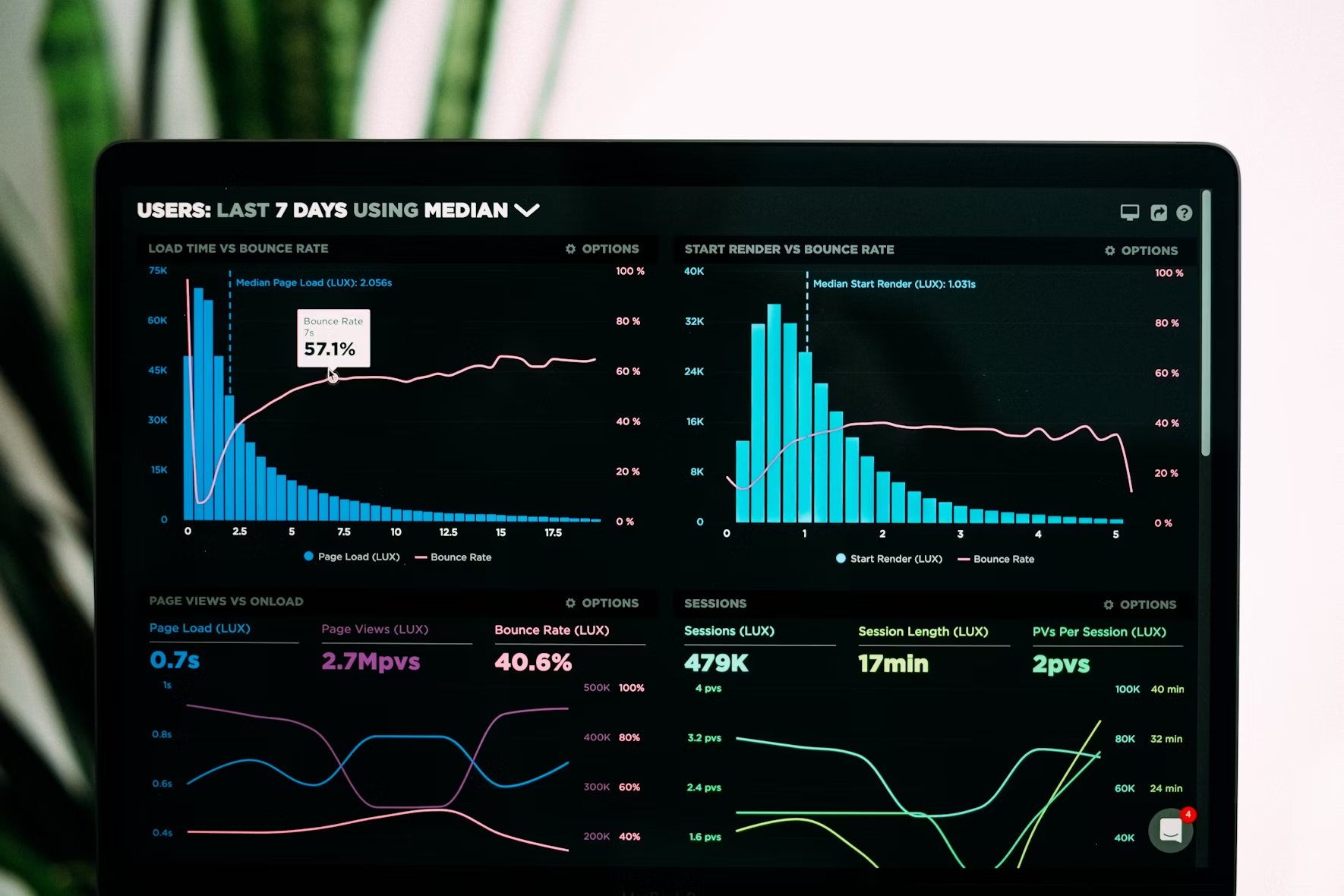
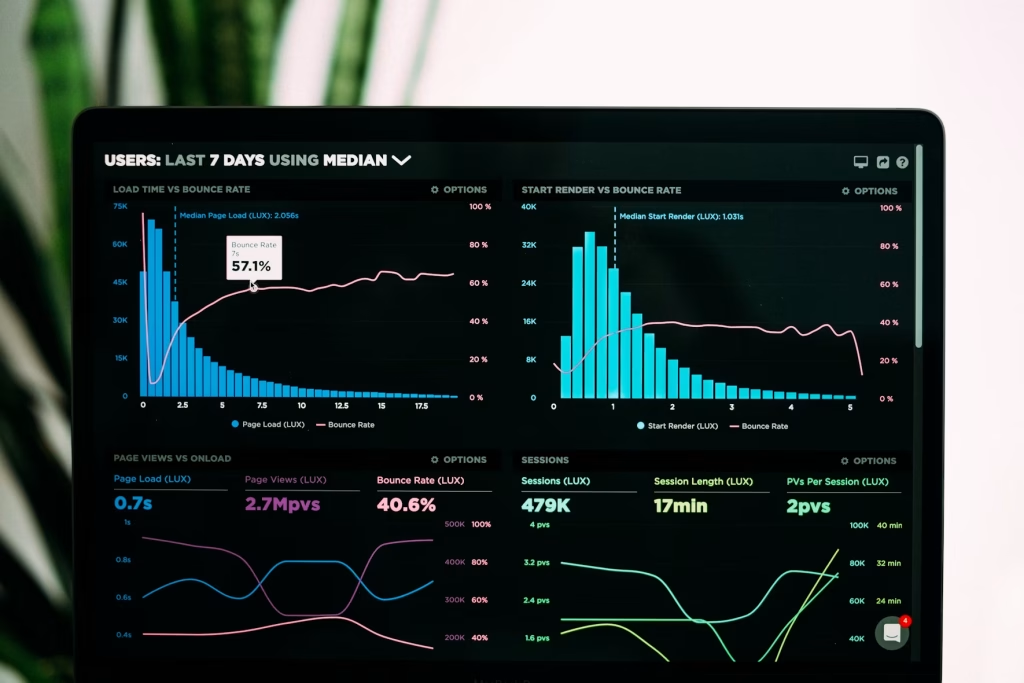
A data dashboard visualizing the correlation between micro-conversions like email sign-ups and macro growth in revenue, illustrating modern marketing analytics.

Executive Summary: In the landscape of data-driven marketing, a paradigm shift is occurring. Leading marketers are moving beyond solely tracking final sales to analyzing user engagement through micro-conversions. This strategic analysis of smaller customer actions, such as email newsletter sign-ups, content downloads, and video completions, provides a powerful leading indicator of future sales, reduces customer acquisition cost (CAC), and reveals critical friction points in the customer journey. This guide provides a foundational framework for leveraging micro-conversions to build a more resilient and predictable marketing strategy for 2025.

1.0 Defining Micro-Conversions in a Modern Marketing Context

A micro-conversion is a quantitatively measurable, secondary action a user completes on a digital asset that signals progressive user engagement and intent but does not constitute the primary goal (macro-conversion) of the business.

1.1 Micro-Conversions vs. Macro-Conversions: A Practical Taxonomy

Micro-Conversions (Leading Indicators)Macro-Conversions (Lagging Indicators)
Email newsletter sign-upA completed purchase (E-commerce)
Downloading a whitepaper or guideA booked sales consultation (B2B)
Adding a product to the cartA high-value contact form submission
Watching ≥75% of a product videoA paid subscription sign-up
Social media share of contentA requested quote
Viewing a critical page (e.g., pricing) 


Table 1: This classification schema differentiates between intermediate engagement metrics (micro-conversions) and primary business outcomes (macro-conversions).

2.0 The Quantitative Benefits: Why Micro-Conversions Are a Core KPI

Integrating micro-conversions into your performance marketing dashboard offers multifaceted strategic advantages:

  • Predictive Analytics Capability: Micro-conversions serve as leading indicators. A statistically significant increase in whitepaper downloads this week strongly correlates with an increase in qualified sales leads in subsequent weeks, enabling more accurate forecasting.
  • Friction Point Identification: A high volume of “add to cart” events coupled with a low conversion rate to purchase pinpoints exact friction points in the checkout, allowing for targeted CRO (Conversion Rate Optimization).
  • Advanced Marketing Attribution: Understanding which micro-conversions most frequently precede a macro-conversion allows for a multi-touch attribution model, moving beyond last-click bias to allocate budget efficiently.
  • Optimized Customer Acquisition Cost (CAC) Calculation: By assigning value to micro-conversions, a marketing campaign that generated 2 sales ($100 CAC) also generated 20 leads at a $5 cost per lead, presenting a more holistic and accurate ROI picture.
  • Enhanced Customer Journey Mapping: Micro-conversions allow for the segmentation of audiences based on intent level, enabling personalized remarketing campaigns and content strategies.

3.0 The Essential Micro-Conversions to Track in 2025: A Priority List

For marketing funnel optimization, prioritize tracking these high-intent micro-conversions:

  1. Email Subscription Rate: The foundational metric for permission marketing and lead nurturing.
  2. Content Download Rate: A high-value action indicating deep interest, crucial for B2B marketing.
  3. Video Completion Rate (VCR): A strong signal of engagement with product demos or tutorial content.
  4. Social Sharing Frequency: Measures content virality and organic amplification potential.
  5. Scroll Depth (>90%): Indicates thorough content consumption on key landing pages.
  6. Add to Cart / Save for Later Rate: The primary predictor metric for e-commerce conversion rate.
  7. Critical CTA Click-Through Rate (CTR): Clicks on “Request a Demo,” “View Pricing,” or “See Case Study” signal imminent commercial intent.

4.0 Implementation Framework: How to Track Micro-Conversions

The modern marketing stack, centered around Google Analytics 4 (GA4) and Google Tag Manager (GTM), is built for this purpose.

  • GA4 Configuration: Utilize GA4’s enhanced measurement events and mark key actions (e.g., generate_lead, add_to_cart) as conversions. For custom actions, create new events.
  • GTM Deployment: Implement custom event tracking for scroll depth, video engagement, and outbound link clicks without editing site code, ensuring agile deployment and management.
  • Data Layer Integration: For advanced tracking, use the data layer to pass specific event parameters (e.g., download_type: whitepaper) for granular analysis.

5.0 Case Study: The ZSOLNET Framework for Micro-Conversion Optimization

At ZSOLNET, our data-driven marketing methodology transforms micro-conversion data into growth:

  1. Diagnostic Audit: We conduct a full marketing funnel analysis to map the customer journey and identify all potential micro-conversion points.

  2. Hypothesis-Driven Testing: We analyze correlation data to form hypotheses (e.g., “Simplifying this form will increase ebook downloads by 15%”).

  3. A/B Testing & Validation: We employ rigorous A/B testing on landing pages, CTAs, and forms to systematically improve micro-conversion rates.

  4. Attribution Modeling: We build a multi-channel view of performance, identifying which channels drive the most high-intent micro-conversions, not just empty clicks.

6.0 Conclusion: Integrating Micro-Conversions into a Holistic Strategy

Mastering micro-conversions is not about abandoning macro goals; it is about building a more intelligent, responsive, and efficient pathway to achieve them. By focusing on these predictive metrics, businesses can transition from reactive reporting to proactive marketing strategy optimization, dramatically improving return on advertising spend (ROAS) and customer lifetime value (CLV).

Ready to decode your customer’s journey? The experts at ZSOLNET specialize in advanced conversion rate optimization and data-driven marketing strategy designed to identify, track, and capitalize on the micro-conversions that drive sustainable growth.

Schedule Your Free Marketing Funnel Audit with ZSOLNET – Leverage our expertise to build a smarter, more predictive funnel.

Frequently Asked Questions (FAQ)

Q: What is the concrete difference between a micro and macro-conversion?
A: A macro-conversion is a primary business goal (a sale, a qualified lead). A micro-conversion is a smaller, intermediary action that indicates a user is moving toward that goal (e.g., signing up for a newsletter, downloading a guide).

Q: How do micro-conversions impact organic SEO strategy?
A: While not direct Google ranking factors, micro-conversions like time on site, low bounce rate, and high scroll depth are strong user engagement signals. These metrics indicate to search engines that your content is valuable, which can indirectly support organic visibility and rankings.

Q: What is a benchmark for a good micro-conversion rate?
A: Rates vary significantly by industry, device type, and traffic source. For example, a B2B site might see a 2-7% conversion rate for gated content, while an e-commerce site might see a 5-12% add-to-cart rate. The critical practice is to establish a baseline and focus on continuous improvement through testing.
Tags

What do you think?

Share on facebook
Share on twitter
Share on linkedin
Share on pinterest
Share on whatsapp
Share on email

How to Install a Free SSL Certificate (Let’s Encrypt Guide)

SSL Certificate Installation process using Let's Encrypt shown step-by-step

Introduction

In today’s digital landscape, website security isn’t optional—it’s essential. SSL certificates, which encrypt data transferred between your website and its visitors, have become a fundamental requirement for any professional website. Not only do they protect sensitive information, but they also boost your search engine rankings and build visitor trust with that reassuring padlock icon in the browser address bar.

Let’s Encrypt has revolutionized website security by offering free, automated SSL certificates that are just as secure as paid alternatives. As a leading web hosting provider serving clients all over the globe, ZSOLNET is committed to helping you implement robust security measures without breaking the bank.

This comprehensive guide will walk you through everything you need to know about Let’s Encrypt SSL certificates and how to install them on your website, regardless of your technical expertise.

What is Let’s Encrypt?

Let’s Encrypt is a free, automated, and open Certificate Authority (CA) that provides SSL/TLS certificates at no cost. Launched in 2016, it was established by the Internet Security Research Group (ISRG) with a mission to create a more secure and privacy-respecting web by making HTTPS encryption universally accessible.

Key Benefits of Let’s Encrypt SSL Certificates

  • Completely Free: Unlike traditional SSL providers that charge annual fees, Let’s Encrypt certificates are 100% free of charge.
  • Automatic Renewal: Certificates are valid for 90 days but can be configured to renew automatically.
  • Widely Trusted: Let’s Encrypt certificates are recognized by all major browsers.
  • Simple Process: The certification process is designed to be straightforward and accessible.
  • Open Source: The entire platform is built on open-source principles, ensuring transparency.

Prerequisites for Installing Let’s Encrypt

Before proceeding with the installation, ensure you have:

  1. A registered domain name pointing to your server
  2. SSH access to your server (for command-line installation)
  3. Sufficient permissions to modify web server configurations
  4. Basic familiarity with terminal commands (for manual installation methods)

How to Install Let’s Encrypt SSL Certificate

We’ll cover multiple installation methods to accommodate different hosting environments and technical comfort levels.

Method 1: Installing Let’s Encrypt Through cPanel

If your hosting account with ZSOLNET includes cPanel access, this is the simplest method:

  1. Log in to cPanel: Access your cPanel dashboard using your credentials.
  1. Find SSL/TLS Section: Scroll down to the “Security” section and look for “SSL/TLS” or “Let’s Encrypt SSL”.
  2. Select Domain: Choose the domain you want to secure from the dropdown menu.
  3. Issue Certificate: Click on “Issue” or “Install” button next to your domain name.
  4. Configure SSL: After installation, ensure “Force HTTPS” is enabled to redirect all traffic to the secure version of your site.
  5. Verify Installation: Visit your website using https:// prefix to confirm the certificate is working properly. You should see a padlock icon in the address bar.

Method 2: Using Certbot (Command Line)

For those with VPS or dedicated servers from ZsolNet, the command-line approach using Certbot offers more flexibility:

  1. Connect to Your Server: Use SSH to log into your server.
  2. Install Certbot: Different commands are required depending on your server OS: For Ubuntu/Debian:
  3. For CentOS/RHEL:
  4. Obtain Certificate: Run the following command, replacing yourdomain.com with your actual domain:
  5. Follow Prompts: Certbot will guide you through a few questions about your preferences.
  6. Configure Auto-renewal: Set up automatic renewal with a cron job:

Method 3: Using Hosting Provider’s Auto-SSL

As a ZsolNet customer, you have access to our one-click SSL installation:

  1. Log in to ZsolNet Client Area: Access your account dashboard.
  2. Select Your Domain: Navigate to the domains section and select the domain you wish to secure.
  3. Enable Auto-SSL: Look for the “Security” tab and toggle on the “Auto-SSL” feature.
  4. Wait for Propagation: The system will automatically install and configure Let’s Encrypt SSL. This typically takes 10-15 minutes.
  5. Verify Installation: Check that your site is accessible via HTTPS and displays the padlock icon.

Troubleshooting Common Let’s Encrypt Issues

Even with straightforward installation processes, you might encounter some obstacles. Here’s how to address common issues:

Certificate Not Trusted

Problem: Browser shows “Certificate not trusted” warning. Solution: Ensure your domain’s DNS records are properly configured and pointing to the correct server. Allow up to 24 hours for DNS propagation.

Mixed Content Warnings

Problem: Padlock shows with a warning or doesn’t appear. Solution: Your website likely contains resources (images, scripts) loaded over HTTP instead of HTTPS. Use a tool like Why No Padlock to identify and fix these resources.

Rate Limiting Errors

Problem: “Too many certificates already issued” error. Solution: Let’s Encrypt limits the number of certificates you can issue per domain. Wait at least a week before trying again or use wildcard certificates to cover multiple subdomains.

Renewal Failures

Problem: Automatic renewals are not working. Solution: Check your cron jobs or scheduled tasks to ensure the renewal command is running correctly. Verify that Certbot has the necessary permissions.

Maintaining Your SSL Certificate

Let’s Encrypt certificates are valid for 90 days. To maintain uninterrupted HTTPS:

  1. Set Up Auto-renewal: We’ve covered this in the installation methods, but it’s worth confirming your renewal is active.
  2. Monitor Expiry: Use services like SSL Shopper to monitor your certificate’s expiration date.
  3. Test Renewal Process: Occasionally, run a manual renewal test:
  4. Keep Contact Information Updated: Ensure your domain registrar and hosting account have current email addresses for important notifications.

SSL Best Practices

To maximize the security benefits of your new SSL certificate:

  1. Implement HSTS: HTTP Strict Transport Security tells browsers to always use HTTPS for your domain.
  2. Use Strong Cipher Suites: Configure your web server to use modern, secure encryption algorithms.
  3. Redirect HTTP to HTTPS: Ensure all traffic is automatically redirected to the secure version of your site.
  4. Update Regularly: Keep your web server software and SSL-related packages updated.
  5. Regular Security Audits: Use tools like SSL Labs to check your SSL configuration.

Why SSL is Essential for Your Business

Beyond the technical aspects, here’s why implementing SSL with Let’s Encrypt is crucial for your online presence:

  • Customer Trust: Visitors are more likely to trust and engage with secure websites.
  • SEO Advantage: Google gives preference to HTTPS websites in search rankings.
  • Data Protection: SSL encrypts sensitive information like login credentials and payment details.
  • Regulatory Compliance: Many industries require encryption for handling user data.
  • Mobile Optimization: Many mobile browsers now flag non-HTTPS sites as insecure.

Conclusion

Securing your website with a Let’s Encrypt SSL certificate is one of the most important steps you can take to protect your visitors and improve your site’s credibility. The free, automated nature of Let’s Encrypt makes professional-grade security accessible to everyone, from small business owners to large enterprises.

As your trusted web hosting partner, ZsolNet is committed to helping you implement robust security measures efficiently. Whether you choose the user-friendly cPanel method, the flexible command-line approach, or our proprietary Auto-SSL feature, you’re just a few steps away from a fully secured website.

Remember that a secure website is not just about having an SSL certificate—it’s about implementing comprehensive security practices that protect both you and your visitors. If you encounter any challenges during the installation process or have questions about enhancing your website’s security, our 24/7 support team is always available to assist you.

Frequently Asked Questions

Q: Will switching to HTTPS affect my search rankings?

A: Yes, positively! Google has confirmed HTTPS as a ranking factor, giving secure websites a slight advantage in search results.

Q: Do I need technical knowledge to install Let’s Encrypt?

A: Not necessarily. If you’re using cPanel or ZsolNet’s Auto-SSL feature, the process is largely automated and user-friendly.

Q: How does Let’s Encrypt compare to paid SSL certificates?

A: Let’s Encrypt provides the same level of encryption as standard paid certificates. The main differences are in validation type (Let’s Encrypt offers domain validation only) and warranty (paid certificates may include financial guarantees).

Q: Will my Let’s Encrypt certificate work on mobile devices?

A: Yes, Let’s Encrypt certificates are trusted by all major mobile browsers and operating systems.

Q: Can I use Let’s Encrypt for e-commerce websites?

A: Absolutely! While Let’s Encrypt offers domain validation certificates (sufficient for encryption), some large e-commerce operations may prefer Extended Validation (EV) certificates for the additional visual trust indicators.


Need help securing your website? Contact our technical support team at support@zsolnet.com or call us at +971 50 130 2670 (UAE) or Whatsapp: +44 7456 442606 (UK) for personalized assistance with your SSL installation.

What do you think?

Related articles

Contact us

Let’s Build Your Online Success Story!

Whether you need a website, hosting, or SEO services, ZSOLNET has you covered.

Your benefits:
What happens next?
1

Let’s start with a brief conversation.

2

We assess your needs and goals.

3

We send you a customized action plan.

Get Started Today